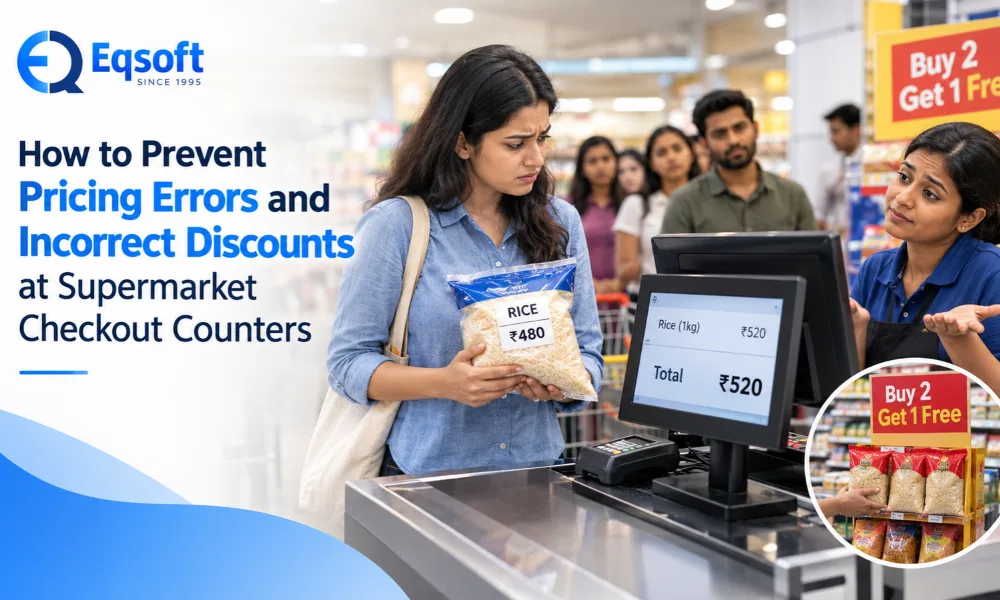
A customer picks up a pack of rice marked ₹480, but the billing screen shows ₹520.
Another customer is promised “Buy 2 Get 1 Free” and is charged for all three.
Moments like these happen daily in supermarkets, and they cost you in two ways: lost revenue and lost trust.
Pricing errors and incorrect discounts at checkout are among the most common and most expensive problems in retail. The good news is that they are almost entirely preventable. This guide explains why these errors happen and how to stop them.
Why Checkout Pricing Errors Hurt More Than You Think
One wrong price feels small. Multiply it by hundreds of bills a day, and it stops being small.
Undercharged items and wrongly applied discounts never show up as a single big loss. They leak out a few rupees at a time.
Being overcharged feels personal, even when it’s a system glitch, and plenty of shoppers simply switch stores.
Charging above the displayed price or the MRP can bring consumer complaints and hefty penalties.
Wrong billing throws off stock counts, GST figures and profit reports, so you end up making decisions on bad data.
Where These Errors Actually Come From
Before you fix the problem, it helps to know what’s causing it. In most supermarkets, it’s one or more of these 8 vulnerabilities:
Shelf and system prices don’t match
The shelf tag gets updated but the billing system doesn’t, or the other way around.
Manual price entry
Every time a cashier types a price or discount by hand, there’s a chance of a slip.
Old offers still running
A festival promotion ends on the notice board but stays live in the software, or two discounts stack when they shouldn’t.
Wrong barcode mapping
One barcode linked to the wrong product, pack size, or batch.
Discounts with no limits
Anyone at the counter can give any discount, with no approval needed.
Batch-wise MRP changes
The same product arrives with different MRPs, and the system picks the wrong one.
Untrained staff
Cashiers who aren’t sure how offers, returns or tax slabs work.
Disconnected software
Counters or branches that don’t share the same price data in real time.
9 Ways to Stop Pricing Errors at Checkout
Keep one master price list
Every counter should pull prices from the same source. When a price changes, it should change everywhere at the same moment, not counter by counter through the day.
Scan everything, type nothing
Manual entry is the biggest source of billing mistakes. Make sure every product has a correct, unique barcode, and check your product database regularly for duplicates and wrong links.
Match your shelf tags to your system
Set aside time every week or two to compare shelf labels with billing prices. When an MRP or offer changes, update the shelf and the system together, not one now and one “later.”
Let the software run your offers
Set up percentage discounts, buy-one-get-one deals, combos and festival offers inside the system, each with a start and end date. That way offers apply only to the right products, expired offers switch off by themselves, and discounts don’t stack unless you want them to.
Put limits on who can discount what
Not everyone at the counter should be able to change a price. A simple structure works well: cashiers can give up to 2%, supervisors up to 5%, and anything above that needs a manager’s password.
Track prices and expiry by batch
Groceries, dairy and packaged foods often come in batches with different MRPs and expiry dates. Batch-level tracking means the right price is picked automatically when the item is scanned.
Read your override and discount reports every day
It takes a few minutes. Look at who changed prices, which discounts were applied and how often. If one cashier is giving far more discounts than everyone else, you’ll spot it fast.
Train your billing team, and keep training them
A good system still fails in untrained hands. Walk cashiers through scanning, returns, offer rules and, importantly, how to handle a customer who disputes a price politely and quickly.
Use billing software built for supermarkets
A basic billing tool can struggle with thousands of products, frequent price changes, multiple counters and layered promotions. Software designed for supermarkets handles real-time price sync, offer automation, GST-ready invoicing, stock tracking and audit reports in one place.
A Quick Self-Check for Your Store
Ask yourself honestly:
- Do all my counters use the same price database?
- Are items scanned rather than typed?
- Do my offers have automatic start and end dates?
- Does a price override need manager approval?
- Do I review discount reports daily?
- When did I last compare shelf tags against system prices?
- Does my team know exactly how each current offer works?
Frequently Asked Questions
What causes pricing errors at supermarket checkout?
Mostly mismatched shelf and system prices, manual price entry, expired offers still active in the software, wrong barcode mapping and unrestricted staff discounts.
How can a supermarket avoid incorrect discounts at billing?
Automate promotions with validity dates, restrict discount permissions by role and review override reports every day.
Can billing software really reduce pricing mistakes?
Yes. Barcode scanning, centralised pricing and automated offers remove most manual errors, and the reports give you a clear trail when something does go wrong.
What should I do if a customer has been overcharged?
Correct the bill right away, refund the difference and apologise. Then find out why it happened, whether it was a price mismatch, a barcode issue or a discount error, so it doesn’t happen again.
How often should I audit prices?
Do weekly spot checks and a full monthly audit, plus an immediate check after any big price change or promotion.
Final Thoughts
Pricing mistakes at the billing counter rarely look serious in the moment. But they drain profit slowly, and they chip away at the trust you’ve built with regular customers. The fix isn’t complicated: one central price list, scanned barcodes, automated offers, controlled discounts, trained staff and the right software. Get those right, and accurate billing becomes the default at every counter.
Make Accurate Billing Easier with Eqsoft
If you’d rather not spend your days double-checking prices and chasing discount mistakes, the right software takes most of that weight off your shoulders. Eqsoft offers supermarket billing software built around the everyday needs of supermarkets and retail stores in Kerala and beyond, with accurate pricing, controlled discounts and faster checkout.
Book Your Free Demo Today